


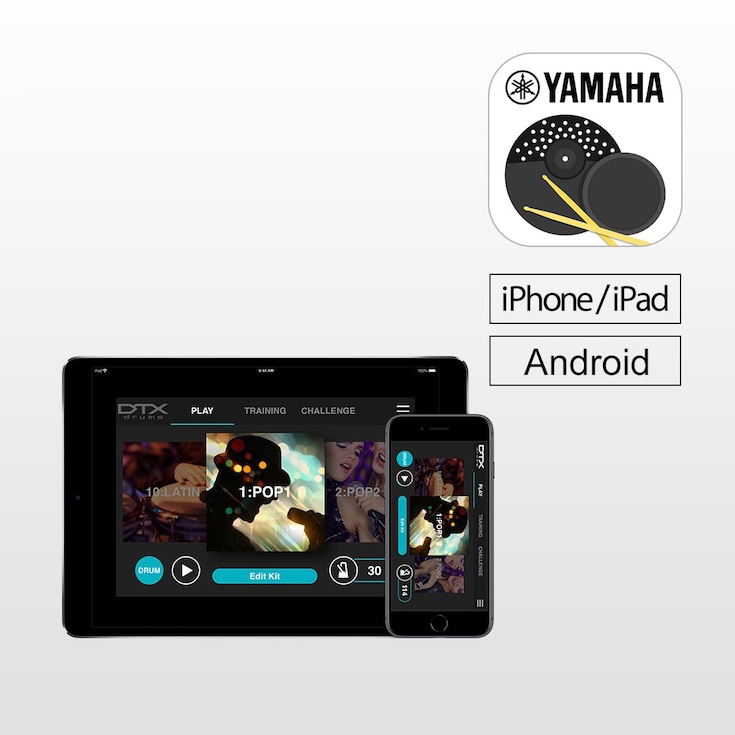
DTX402 Touch est une application iOS/Android dédiée aux batteries électroniques de la série Yamaha DTX402. Le DTX402 Touch dispose de 10 modes d'entraînement et d'un mode défi conçus pour faire de vous un meilleur joueur, plus rapidement. Vous pouvez également sélectionner et personnaliser des kits, des numéros de chansons, configurer un métronome et ajuster les paramètres de déclenchement pour votre style de jeu d'un simple glissement. *Pour utiliser l'application, vous devrez connecter votre appareil intelligent au DTX à l'aide d'un câble USB et d'un adaptateur Lightning USB pour iPhone/iPad ou d'un câble OTG pour Android.



Fonctionnalités
Get a Drummer's Certificate
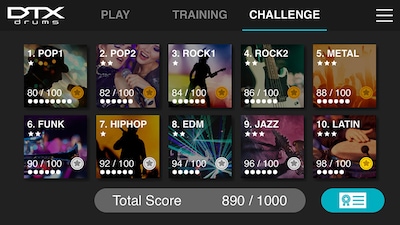
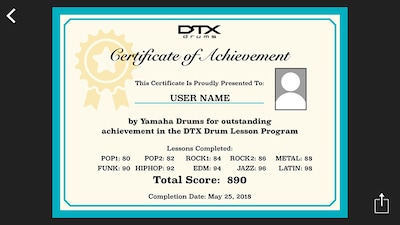
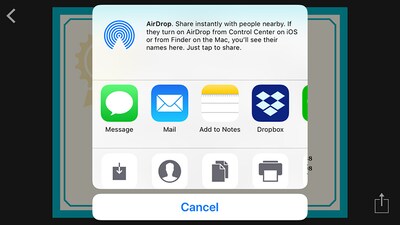
“Challenge Mode” is a new function on the DTX402 Touch that tests your skill. If you can play all 10 practice songs without making a mistake, you will receive a “Drummer’s Certificate” from the Yamaha DTX drum team that you can share via social media.
Learn While Having Fun
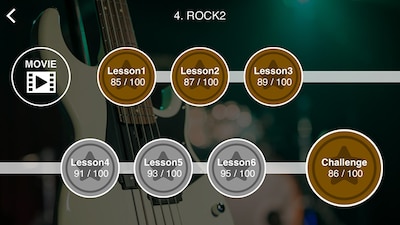
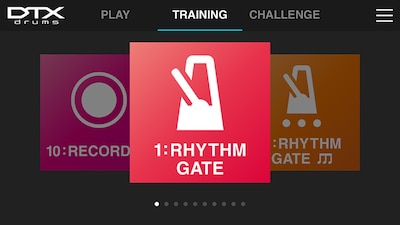
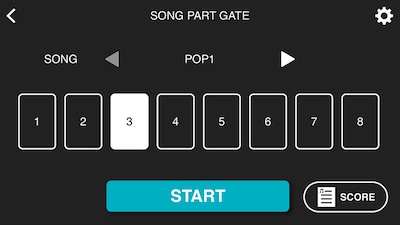
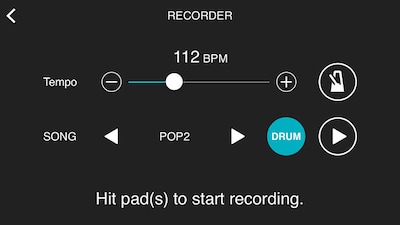
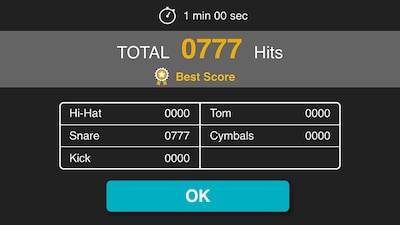
Specially designed for drummers at any skill level, the DTX402 Touch has 10 Training Modes designed to make you a better player, faster. The exercises are a fun way to learn to read drum music notation, play with dynamics and develop your sense of timing. "Rhythm Gate" improves your timing accuracy by only allowing you to play rhythms in time with the metronome. “Song Part Gate" teaches you to play each part of the song with correct timing while the "Recorder" function lets you record a drum solo or play along with a song to self-assess your performance. You can also use "Fast Blast" to count the number of drum stokes made within a set period of time. This helps to increase your speed and build stamina.
Make Customized Drum Kits
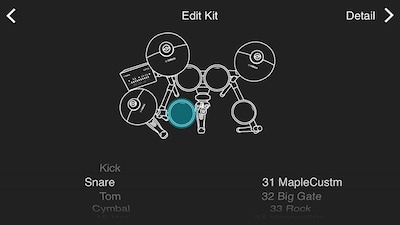
Personalize each of the 10 drum kits with over 280 drum and percussion sounds. Simply touch the drum pads on your screen to change or select a sound, and edit them with tuning, volume, panning, mute and reverb to create your own sound quickly and easily.
Simple and Intuitive Control
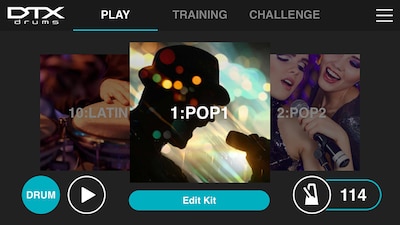
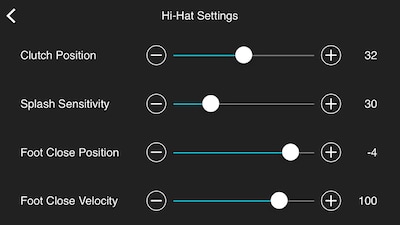
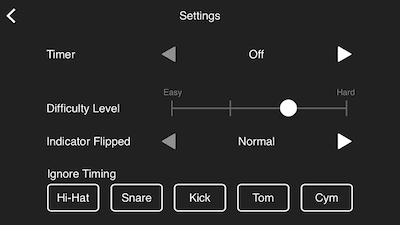
With a simple swipe, you can select and customize kits, song numbers, set up metronome and adjust the trigging parameters for your playing style. You can view this information while playing in Training Mode and learn how to play preset songs with instructional videos featuring industry professionals.
Update Utility
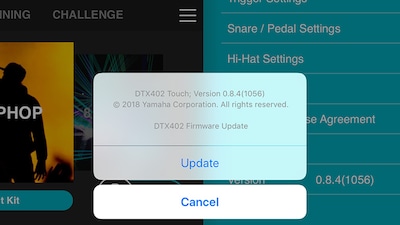
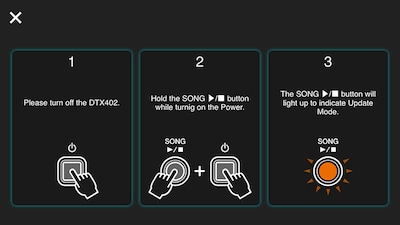
By connecting DTX402 Touch with your smart device and selecting the “Version” tab on the “Menu” screen, the app ensures that your firmware is up to date, so there is no need to download firmware data or connect DTX to your PC.
Audio et vidéo
Artist Video
-
Senri Kawaguchi plays with Yamaha DTX402 -play as fast as you can!-
-
Senri Kawaguchi plays with Yamaha DTX402 -enjoy practice with song-
Tutorial Video
-
Yamaha "DTX402 Touch" App introduction CHALLENGE mode
-
Yamaha "DTX402 Touch" App introduction TRAINING mode
-
Yamaha "DTX402 Touch" App introduction PLAY mode
Initialise Kit
INITIALISE KIT
Using the DTX402 Touch you can change the settings of the Preset Kits.
If you wish to restore a Kit to it’s default settings please use the following procedure.
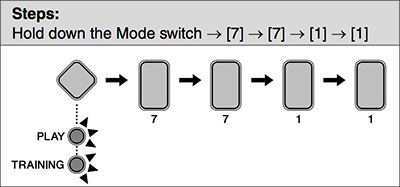
- Press the Mode switch to turn the "PLAY" light on.
- Select a music category you wish to initialize the corresponding kit using the number button [1] to [10].
- Hold down the Mode switch to activate Menu Mode.
- Press the number button [7] to select the Other Settings.
- Press the number button [7] to select Initialize Kit.
- The number button [1] will light up.
- Press the number button [1].
- The number button will start to flash.
- If you do not wish to proceed with initialization, press the Mode switch now to exit Menu Mode.
- Press the number button [1].
- The kit will be initialized.
* Les spécifications sont susceptibles d'être modifiées sans préavis. Les couleurs et les finitions présentées peuvent différer de celles des produits réels.
